When I first moved to New Hampshire in 2010, I experienced a decrease in Internet speed from 1 gigabit in San Francisco to 6 megabits down and half a megabit up on a DSL connection. Online gaming, YouTube and even sometimes Spotify failed to be a decent experience. It was awful. Two years later, we finally had cable internet via Comcast and over the years, those speeds have increased from 36 megabits down to something around 1,000 gigabits up in ideal conditions and about 35 megabits up with Comcast via their XFinity service.
As you know, I’ve moved out of my home and a bit further north into a smaller village where once again, DSL is the only option. I suffered through this for about a week at my in-laws’ home before it was time to look for options that would improve the experience of working from home. There were none.
Heather recommended Starlink and my memory was that it was $500 for the equipment and $100-$200 a month with a 12-month commitment to sign up. It turns out, they are trying to grow the market in specific areas so we punched in our postal code and were greeted with another screen which showed $20 sign up, free equipment (radio, wireless router, power supply and required wiring) and two tiers either 200 megabits down for $80 a month or 400 megabits down for $120 a month. Also, no contract required.
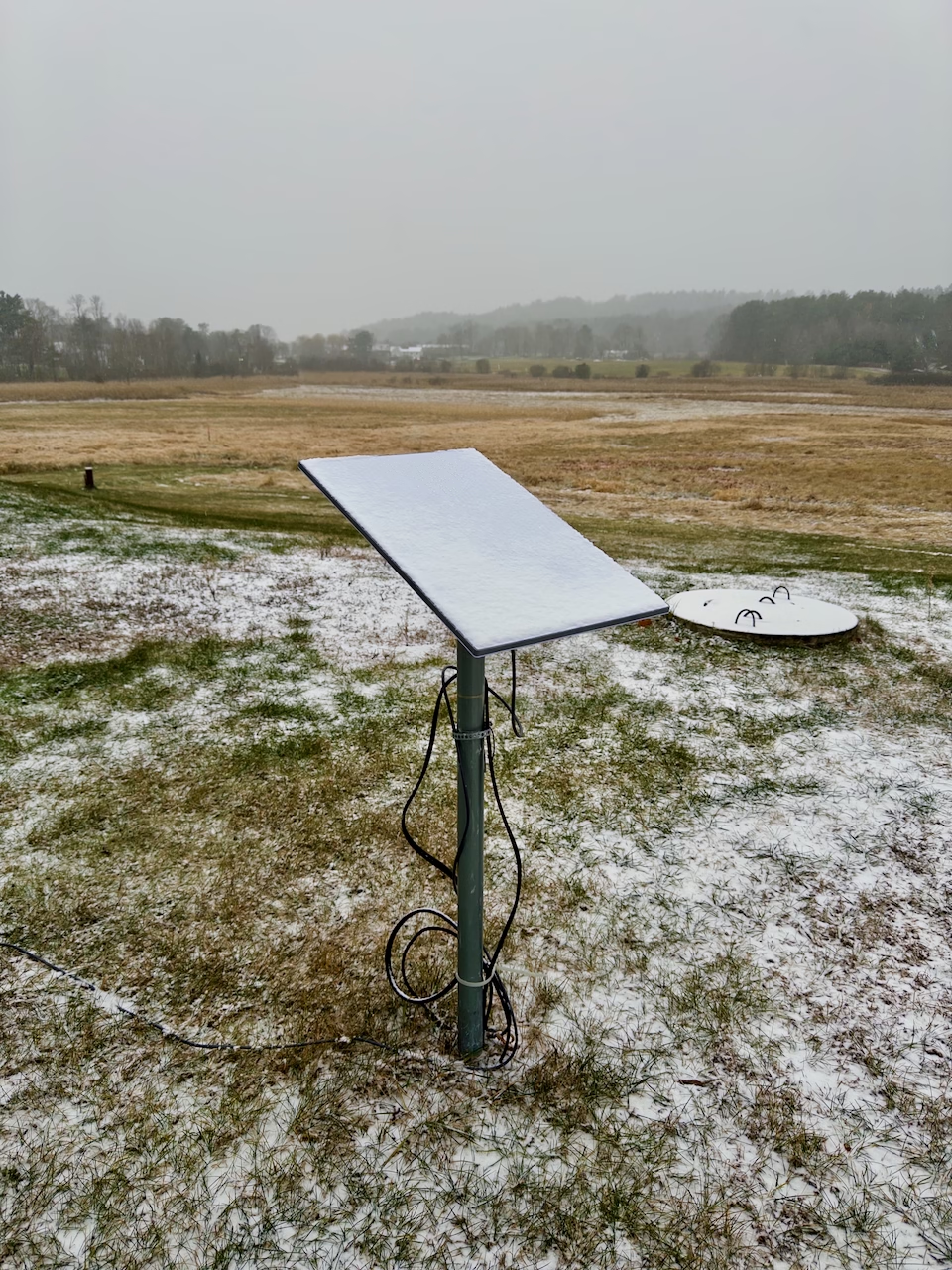
We’re in this house for at least 4 months while the house is rebuilt so we put in an order. The house we’re in sits along a 20 acre open field with no trees and just so happens to have a 1″ pipe already in the ground from a TV satellite dish that used to be installed.
The Starlink hardware took 4 days to arrive and only after you setup service can you order accessories so we then promptly ordered the Starlink Pipe Adapter for $38 shipped but I went ahead and setup the Starlink radio on the grass outside while we waited knowing I’d need the adapter once Winter began because (like today) we regularly get 2-12 inches of snow in a day and a ground mounted radio receiver would be buried by Christmas.
The experience has been nothing short of fantastic. My biggest skepticism of this was my past dealings with satellite anything. I use an InReach for communication, an iPhone sometimes for texting via satellite and I’ve used satellite TV and Internet over the years at various stages. Growing up in rural farm country meant satellite was the only option. The biggest issues were upload speed measured in the kilobytes and travel time which people measure in pings being measured in the hundreds or thousands of milliseconds. Finally, issues with service on rainy/snowy/cloudy days because satellites require line of sight.
Seeing was easy and despite the router being only WiFi 5, the speeds to my iPhone from across the house is fine. No repeater or meshing necessary although Starlink does sell these for large homes
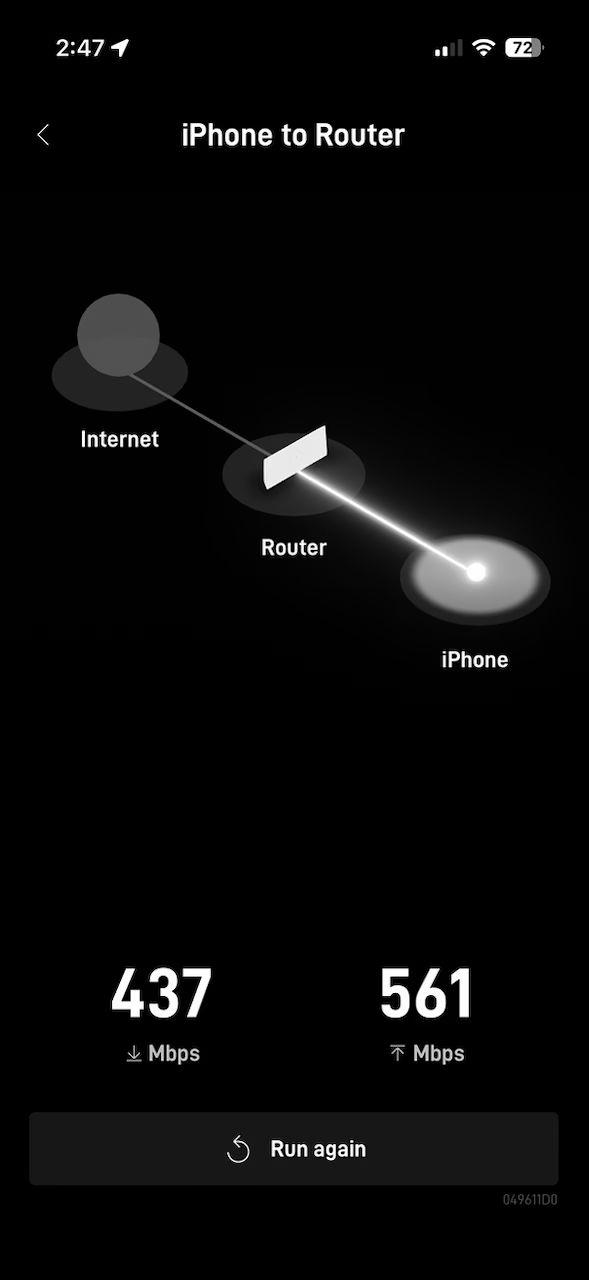
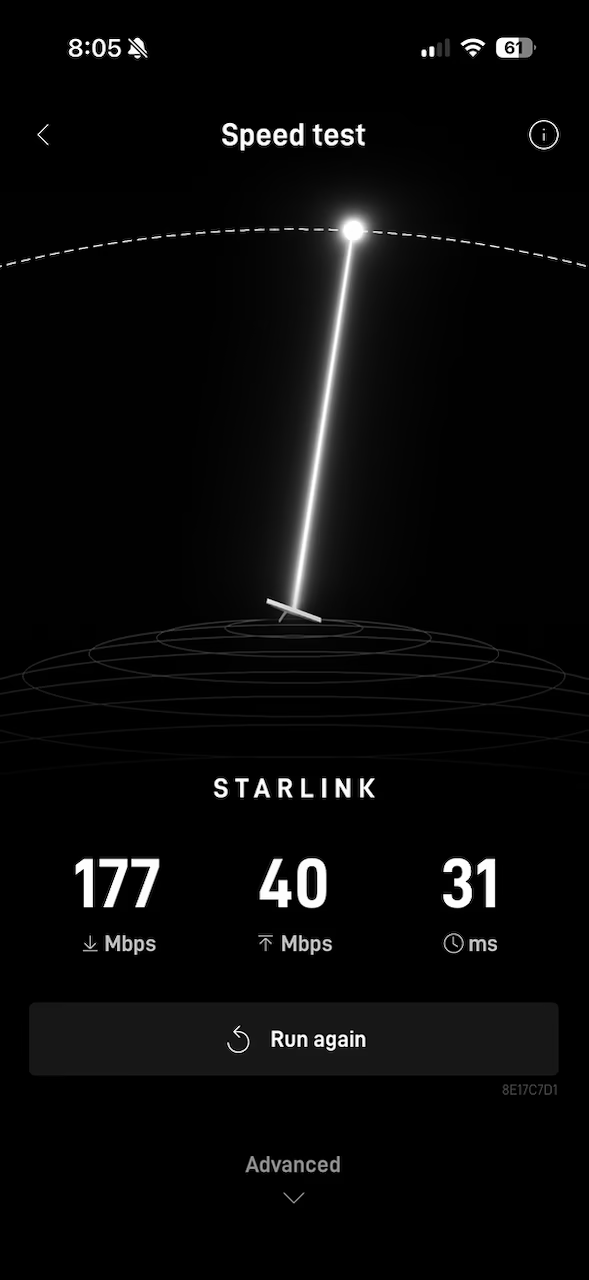
Speeds to the internet have been between 200-450 megabits with a ping in the 18-30 milliseconds range which is totally acceptable
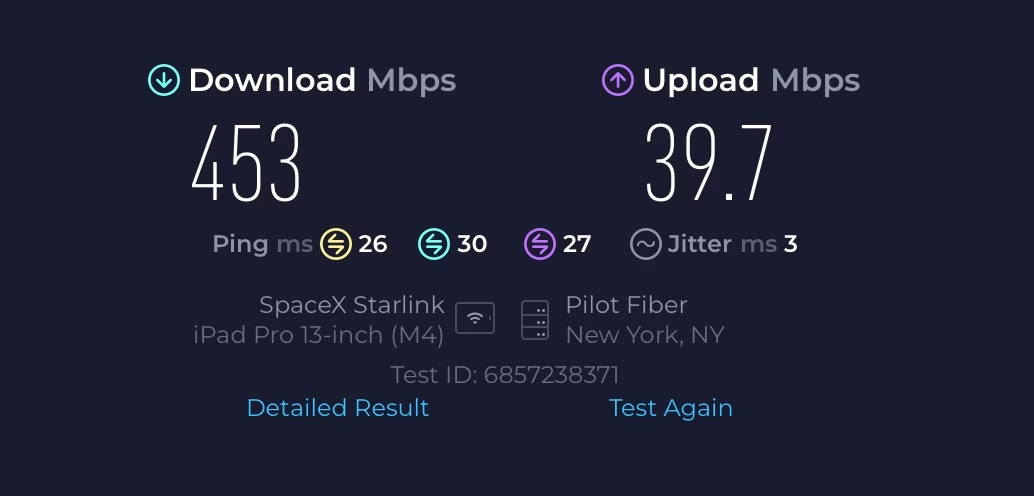
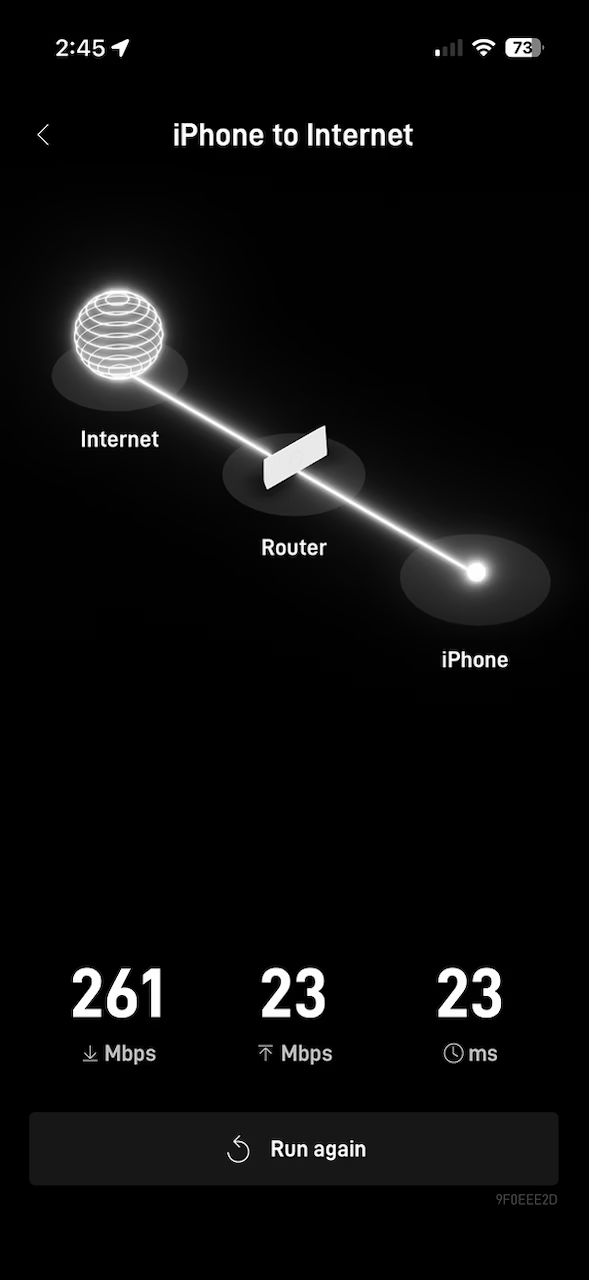
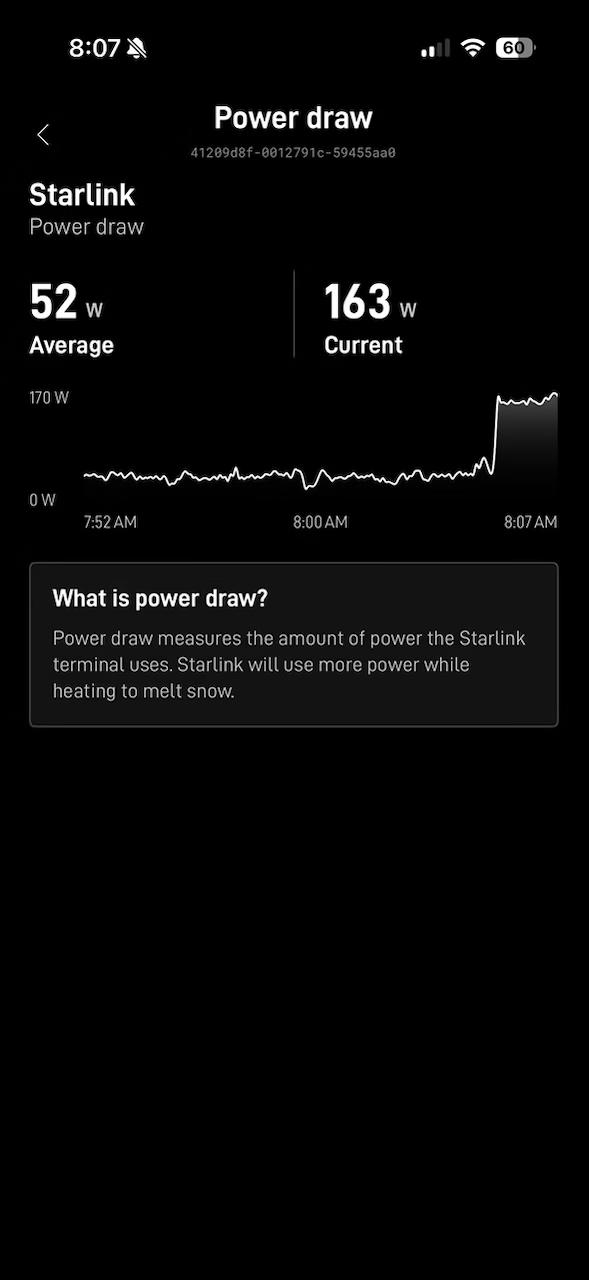
On cloudy and snowy days, I haven’t experienced any degradation yet of those speeds. They’re pretty much above 200 megabits all day every day no matter the conditions. We’re getting 9 inches of snow today and I’ve learned that the dish auto-melts snow when detected. As soon as enough obstructions are detected, the power usage increases from 36 watts to 150 and heats up the dish to melt snow. This is completely automatic and no intervention necessary. The Starlink dish is using some sort of POE connection because it’s a single RJ-45 cable with water resistant fittings going from the wireless router, out the door and into the dish. This is a temporary installation so we’re not going to drill through walls although they sell a kit for that as well.
Here’s the power draw increasing when snow was detected:
…and with visible snow on the dish (photos below), my speed test finally dipped below 200 megabits per second but once the snow was melted, it went back up to 250 megabits:
Here are a few photos from today:



As you can see, the snow melt function works like a charm and within 10 minutes of detecting snow, the dish was fully cleared off and has stayed clear despite the accumulation we’re now getting (over 3″ on the ground).
Starlink’s array is nearly 9,000 with 12,000 total planned and it makes up 65% of all satellites in active orbit (getting Wall-E Space Junk Vibes just typing that out). They are not the internet though. They simply beam internet from the ground up to the satellite then back to my dish. There are only a few hundred thousand customers and there are different products & cost tiers for customers that are at home versus those on the goal (roam / aviation / marine) so this is the simplest, cheapest and easiest to use option.
In America where rural customers still don’t have access to broadband, Starlink’s 10 billion dollar project privately funded by Space-X (with billions in public taxpayer funding) represents a way for everyone to get online and the economic impact is a straight line for me and my family where we work remotely all day on computers and can reliably make video calls and collaborate online with co-workers and family via a satellite connection.
There have been zero downsides of this setup and I’ve since learned a dozen of my colleagues are also Starlink customers in rural Vermont because of course we are. I probably will cancel the service in 4-months when I move back home since XFinity is $89 a month and 2X the download speed (upload speed is about 10% faster with Starlink) but any skepticism I had about this technology is gone.
The idea of a roam model would be appealing if we did more family trips in the truck but at 40 watts of power draw constantly, I’d need to invest in some batteries that could handle that and it’s just not something we need right now. The technology is really awesome though and very impressive.
You must be logged in to post a comment.